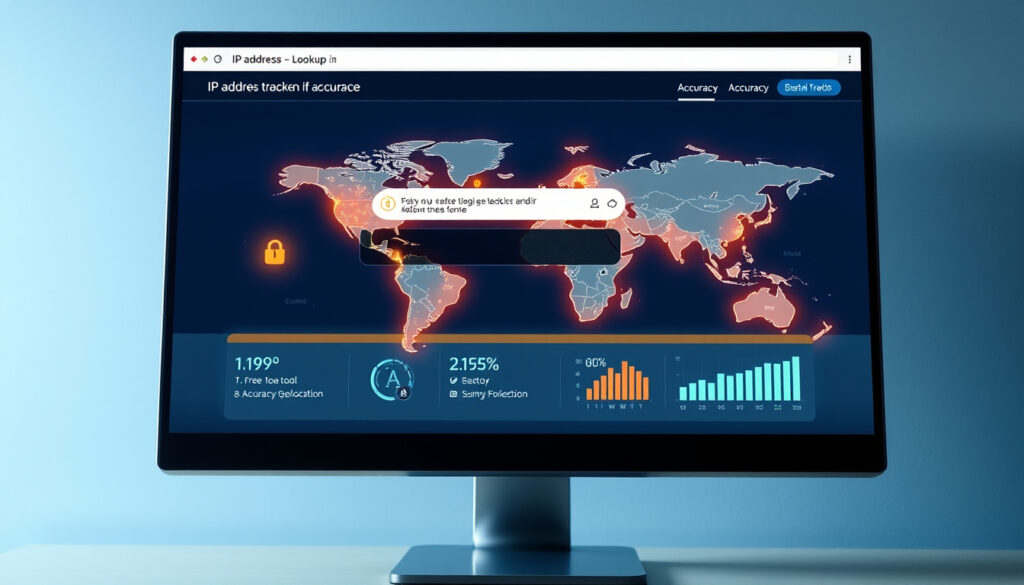
IP Address Lookup – Free Tools and Accuracy Guide
An IP address lookup queries public databases to retrieve details about internet-connected devices, including geolocation, internet service provider information, WHOIS registration data, and risk assessments. These queries rely on free or freemium tools, though accuracy varies significantly depending on factors such as VPNs, proxies, and dynamic IP assignments.
Millions of lookups occur daily across the internet, serving purposes ranging from cybersecurity investigations to marketing analytics. Understanding what these tools can and cannot reveal helps users set realistic expectations and use them effectively. The technology behind IP lookup draws from massive global databases maintained by regional internet registries.
This guide covers the fundamentals of IP address lookup, the best free tools available in 2025, accuracy limitations, and the legal considerations surrounding their use.
What Is an IP Address and What Does a Lookup Reveal?
An IP address, or Internet Protocol address, serves as a unique numerical identifier assigned to every device connected to a network. When you perform an IP address lookup, you query public databases to retrieve information associated with that address. The results can include geographic location, ISP details, address type, and sometimes risk indicators.
Public IP addresses are routable across the internet and can be looked up through various tools. Private IP addresses, such as those in the 192.168.x.x or 10.0.0.x ranges, exist only within local networks and cannot be traced to external geographic locations.
Overview: What IP Lookup Reveals
- Geographic location at country, region, and sometimes city level
- Internet service provider name and organization
- IP address type (IPv4 or IPv6)
- Autonomous System Number for network routing
Key Insights About IP Address Information
- Country-level accuracy typically ranges from 90-99%
- City-level accuracy generally falls between 70-90%
- VPNs and proxies can completely mask true locations
- WHOIS data often shows organizational rather than personal information
- Dynamic IP addresses change regularly, affecting data accuracy
- Mobile IPs tend to be less accurate than desktop connections
Snapshot: What IP Lookup Shows
| Aspect | Details Provided | Typical Accuracy |
|---|---|---|
| Country | Nation where IP is registered | 90-99% |
| Region/State | Administrative area | 80-95% |
| City | Municipality or district | 70-90% |
| ISP | Internet service provider name | High |
| Organization | Company or entity using the IP | Medium-High |
| IP Type | IPv4 or IPv6 classification | High |
| Coordinates | Latitude and longitude estimates | Varies |
| Timezone | Associated timezone | Medium |
How to Find Your Own IP Address Quickly
Finding your own public IP address is straightforward and requires no technical expertise. Multiple websites display your IP information instantly upon loading. Most tools show your IPv4 address, though IPv6 addresses are becoming more common as internet infrastructure evolves.
To check your IP address, simply visit one of the many free lookup services available online. The tool automatically detects your public IP and displays associated information including your ISP, approximate location, and connection type. This process happens in real-time using your device’s connection to external servers.
Steps to Check Your IP Address
- Open any web browser on your device
- Navigate to an IP lookup service website
- The page automatically displays your public IP address
- Review additional details like ISP and location
- For accuracy comparison, try multiple tools and note differences
Results may differ between tools because they use varying database sources. Comparing outputs from multiple services helps identify inconsistencies that might indicate VPN or proxy usage.
Best Free Tools for IP Address Lookup
The landscape of free IP lookup tools has expanded significantly, with several services offering substantial functionality without payment. These tools range from simple web interfaces for quick checks to more comprehensive platforms with API access for developers. The best choice depends on your specific needs, whether you require basic location data or detailed security assessments.
Leading free tools in 2025 include Greip, which offers bulk lookup capabilities and VPN detection; IPLocation.io with its comprehensive suite of network diagnostic tools; Surfshark’s straightforward geolocation service; ipinfo.io providing ASN and blacklist detection; and freetoolr.com for timezone and ISP information.
Top Free IP Lookup Services
| Tool | Free Limits | Key Features | Bulk Lookups |
|---|---|---|---|
| Greip | 50,000/month | VPN/proxy detection, risk scores, CSV export | Yes (10 IPs/request) |
| IPLocation.io | Unlimited basic | Blacklist checks, ping, IP range calculator | No |
| Surfshark | Unlimited | Fast geolocation, mobile-friendly interface | No |
| ipinfo.io | Basic free tier | ASN lookup, geolocation, blacklist detection | API available (paid) |
| freetoolr.com | Varies | Bulk geolocation, multiple IP processing | Yes |
Advanced Scanner Options
For network administrators and technical users, desktop applications like Advanced IP Scanner and Angry IP Scanner offer deeper functionality. These tools can scan local networks, export results to CSV, and identify hostnames and MAC addresses. Advanced IP Scanner works exclusively on Windows, while Angry IP Scanner runs on multiple platforms and supports plugins for extended capabilities.
Bulk free tools typically cap daily lookups at thousands of requests. Scaling beyond these limits requires paid subscriptions. Additionally, data from free services may lag by hours or even days, affecting accuracy for recently assigned IPs.
Can You Find Location and Owner from an IP Address?
IP address lookups can provide geographic information, but the level of detail varies considerably. Most tools offer country-level location with high confidence, while city-level precision is less reliable. The data originates from regional internet registries that allocate IP blocks to ISPs and organizations, meaning the location typically reflects where the IP range was assigned, not necessarily where the device physically operates.
Understanding Location Data Sources
The accuracy of geographic data depends heavily on the underlying database. Services like MaxMind and IP2Location maintain extensive datasets that many lookup tools rely upon. These databases are updated regularly—sometimes daily—but even with frequent updates, mobile networks and dynamic IP assignments create challenges. When an ISP assigns addresses from a pool, the location data may reference the ISP’s headquarters rather than the actual user location.
Identifying IP Address Owners
WHOIS records provide ownership information for IP addresses, though this data often reveals organizational rather than personal details. Major tools like MxToolbox access WHOIS databases maintained by regional registries including ARIN for North America and RIPE NCC for Europe. However, privacy protections have significantly limited available information.
Individual users rarely appear in ownership records because residential ISPs typically receive large IP blocks and assign them dynamically. Corporate entities more frequently have static assignments and identifiable WHOIS records. In cases involving illegal activity, law enforcement can obtain additional information through legal subpoenas, but this process is unavailable to the general public.
Directly tracing a personal name from an IP address is generally not possible through public tools. The information returned typically includes the ISP name, organization (if any), and registration details for the IP block—not the individual subscriber’s identity.
How Accurate Is IP Geolocation?
IP geolocation accuracy depends on multiple factors, and no tool achieves perfect precision. Understanding these limitations helps set realistic expectations for what IP lookup can and cannot determine. The technology has improved substantially over time, but fundamental challenges remain in correlating digital addresses with physical locations.
Accuracy Ranges by Data Type
Country-level detection reaches 90-99% accuracy across most quality tools, making this the most reliable data point. Region or state identification typically achieves 80-95% accuracy. City-level precision drops to 70-90%, with the lower end applying to rural areas and regions with limited IP allocation data. Postal code information, when available, often shows the widest variance in accuracy. For more details on IP address lookups, see Spam-Anrufe Bundesnetzagentur warnt.
Factors That Reduce Accuracy
- VPNs and proxies completely mask true locations by routing through different servers
- Mobile networks frequently show cell tower locations rather than actual user positions
- Dynamic IP assignments mean addresses cycle through different users over time
- Corporate networks may appear at headquarters locations despite distributed workforces
- Newly assigned IPs may lack updated database entries for days or weeks
Database Quality Differences
Leading databases from Greip and IP2Location offer daily updates, IPv6 support, and granular fields including timezone and postal code. Free tools often rely on less frequently updated sources, which can result in stale data. Abstract API’s analysis notes that database update frequency significantly impacts accuracy for recently reassigned addresses.
VPN and Proxy Detection
Many modern tools include VPN and proxy detection capabilities. These features cross-reference IPs against known VPN server lists, proxy databases, and behavioral indicators. Surfshark’s research confirms that VPNs fundamentally alter lookup results, often showing the VPN server location rather than the user’s actual position. Some tools, like AdsPower, even include WebRTC leak detection to identify instances where browsers inadvertently reveal true IPs despite active VPN protection.
Understanding IP Address Types and Privacy
The distinction between public and private IP addresses is fundamental to understanding lookup capabilities. Public IPs are reachable across the internet and constitute the primary focus of lookup tools. Private IPs, defined by specific ranges including 10.0.0.0/8, 172.16.0.0/12, and 192.168.0.0/16, operate only within localized networks and cannot be traced externally.
IPv4 addresses, the familiar four-octet format like 192.168.1.1, remain the most commonly looked up. IPv6 addresses, with their longer hexadecimal format, are increasingly supported by lookup tools but still represent a smaller portion of internet traffic. The IANA IPv4 address space registry documents how these addresses are allocated globally, providing the foundation for much of the lookup data.
Legal Considerations
Public IP lookups are legal worldwide because they access only publicly available registration data. No consent is required, and since IP addresses typically don’t constitute personal data under GDPR frameworks when properly anonymized, standard lookups fall outside strict regulatory requirements. However, attempting to trace individuals through IP addresses for purposes like stalking or harassment violates laws such as the Computer Fraud and Abuse Act in the United States.
The RIPE Database reference documentation outlines how WHOIS information is managed, including privacy protections implemented under EU GDPR since 2018. These regulations have resulted in widespread redaction of personal information from public WHOIS records, limiting what lookup tools can expose about IP address owners.
Privacy Protections and Limitations
Regional internet registries including ARIN, RIPE NCC, APNIC, and LACNIC manage public IP allocations and maintain the WHOIS databases that lookup tools query. Privacy improvements have made it increasingly difficult to associate IPs with individuals through public records alone. VPN services and proxy networks provide additional layers of privacy by obscuring true IP addresses, which lookup tools often flag but cannot penetrate.
Summary: Key Takeaways on IP Address Lookup
IP address lookup serves as a valuable tool for understanding internet-connected devices, offering insights into geographic location, service providers, and network characteristics. Free tools provide accessible entry points for basic lookups, with options ranging from simple web interfaces to comprehensive platforms with bulk processing capabilities.
Accuracy varies significantly based on data type, with country identification most reliable and city-level precision more variable. VPNs, proxies, and mobile networks represent major factors that can distort results. Legal use of lookup tools is permitted for public data access, though attempting to identify individuals without proper authorization raises serious concerns. For those seeking related analytical tools, a YouTube to MP4 Converter offers another approach to online resource analysis.
Frequently Asked Questions
Is it legal to lookup someone’s IP address?
Looking up public IP address information is legal worldwide since the data is publicly available through registries. However, using that information to harass, stalk, or facilitate illegal activity violates laws like the Computer Fraud and Abuse Act in the US.
How do I trace an IP address?
Enter the IP address into any free lookup tool like those discussed above. The results will show geographic location, ISP, and other registration details. For personal identification, law enforcement involvement through subpoenas would be required.
Can an IP address reveal my exact home address?
No. IP lookup typically reveals only city-level or regional information at best. Exact address identification requires access to ISP subscriber records, which are protected and generally require legal process to obtain.
Do VPNs completely hide my IP address?
VPNs mask your real IP address and show the VPN server’s location instead. However, some advanced tools can detect VPN usage. Additionally, WebRTC leaks or DNS queries can sometimes bypass VPN protection and reveal true IPs.
What is the difference between IPv4 and IPv6 lookup?
Both formats are supported by modern lookup tools. IPv4 uses 32-bit addresses in dotted decimal notation, while IPv6 uses 128-bit addresses in hexadecimal format. Both can be looked up for geolocation and ISP information, though IPv6 databases may be less comprehensive in some regions.
Why do different tools show different locations for the same IP?
Tools use varying database sources with different update frequencies. Some databases may have stale information, especially for dynamic IPs. Additionally, if the IP is associated with a CDN, VPN, or corporate network, different tools may reference different registration points.
What information does WHOIS provide?
WHOIS records show the organization to which an IP block was allocated, including ISP or company name, registration date, and contact information. Personal data is typically redacted for privacy. MxToolbox and similar services provide WHOIS lookups as part of their IP investigation tools.
More related posts
 Big W PS5 – Stock Availability Prices Australia 2026
 De Facto Relationship: Meaning, Rules, and Visa Guide
 Crown Casino Melbourne: Royal Commission and Key Facts
 Nico Hulkenberg: F1’s Most Successful Driver Without a Win
 Emma Myers: Age, Height, Relationship & Career Facts
 Sarah Todd: Partner, Age Gap, Son, and Gary Mehigan Connection
 Andrew Brayshaw: Nickname, Age, Father & Gaff Incident
 NAPLAN Past Papers: Free PDF Downloads with Answers
